
You changed the button on your product page last month. Traffic stayed the same. Sales stayed the same. You have no idea if the change did anything.
That’s a CRO problem. And most tools built to fix it were not built for WordPress stores.
This guide covers the tools that actually work for WooCommerce-based businesses. What each one does, what it costs, and which problem it solves. No paid placements. No fluff.
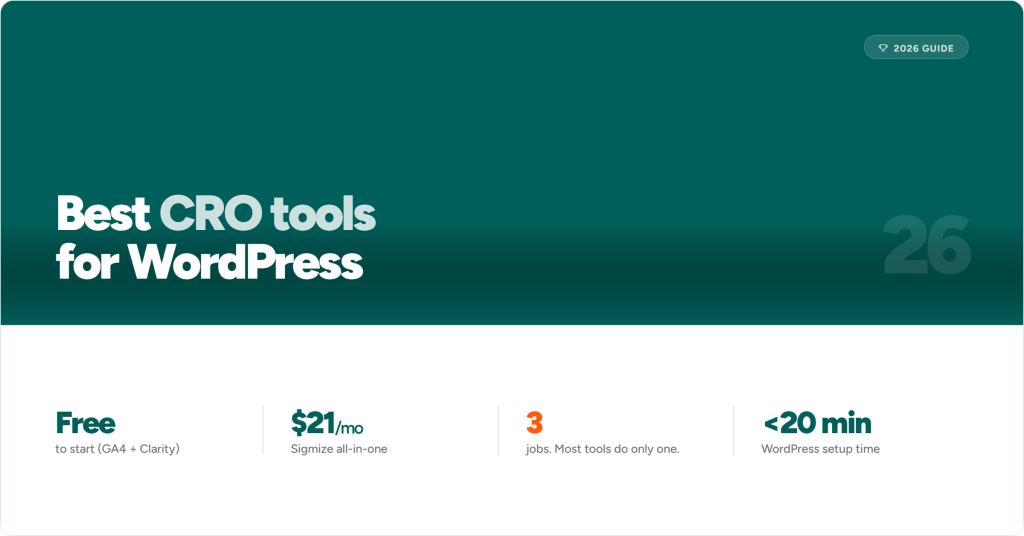
The short version: A complete CRO setup needs three things. A behavior tool to see what visitors are doing. A testing tool to try fixes. And revenue data to know if the fix worked. Most tools only do one of those. Sigmize does all three inside WordPress, connected to your WooCommerce checkout data. Microsoft Clarity is free but only covers behavior. VWO covers all three but starts at $199 per month and has no WordPress plugin.
What Is a CRO Tool?
CRO stands for conversion rate optimization. Your conversion rate is the percentage of visitors who buy something, sign up, or take whatever action you want them to take.
A CRO tool helps you raise that number.
Most stores convert between 2% and 4% of visitors, according to IRP Commerce’s 2025 benchmarks. That means 96 out of every 100 people who visit your store leave without buying. A 1% improvement on a store doing $500,000 a year is worth $5,000 in extra revenue. No new ads. No new traffic. Just more sales from the visitors you already have.
CRO tools help you find out why people are leaving and test whether your fixes actually work.

The Three Jobs a CRO Tool Needs to Do
Most people think CRO is one thing. It is actually three separate jobs. Understanding which job you need done is how you pick the right tool.
Job 1: Watch
You need to see what visitors do on your site. Where do they click? How far do they scroll? Where do they stop and leave? Session recordings and heatmaps do this job.
Job 2: Test
Once you know what is going wrong, you need to test a fix. You show half your visitors the old version of a page and half the new version. The version that gets more sales wins. This is called A/B testing.
Job 3: Measure in revenue
Here is the part most stores miss. A test can show you that Version B got more clicks. But did it get more sales? Those are not the same thing. You need your test results tied to actual orders, not just clicks or page views.
Most tools do Job 1 or Job 2. Almost none do all three natively inside WordPress. That is the gap Sigmize fills.

The Four Types of CRO Tools
Behavior tools
These show you what visitors do. You get session recordings (videos of real visits) and heatmaps (visual maps of where people click and scroll).
What they tell you: Where are people dropping off? What is being ignored?
What they do not tell you: Whether changing that thing will fix it.
Common tools: Hotjar, Microsoft Clarity, Lucky Orange, Mouseflow
A/B testing tools
These let you run experiments. You create two versions of a page or element. The tool splits your traffic between them. After enough visits, you can see which version performed better.
What they tell you: Whether a specific change improves conversions.
What they do not tell you: What to test in the first place. Without a behavior tool, you are guessing.
Common tools: VWO, Optimizely, Nelio A/B Testing
All-in-one CRO platforms
These combine behavior tools, A/B testing, and revenue reporting in one product. No jumping between tools. No separate data sets that do not talk to each other.
What they tell you: What is broken, what to test, whether it worked, and how much the improvement is worth in dollars.
The catch: Most of these are built for large teams and priced to match. VWO starts at $199 per month. Optimizely does not publish pricing publicly. For WordPress stores, most require a developer to set up.
Sigmize is the exception. It is a native WordPress plugin. It covers all three jobs and connects test results directly to WooCommerce order data.
Web analytics platforms
These give you traffic data. Where visitors come from, which pages they land on, where the checkout funnel breaks. This is the baseline you need before any other CRO tool is useful.
Common tools: Google Analytics 4, Mixpanel, Heap
These are not CRO tools on their own. They are the starting point.

The Best CRO Tools for WordPress Stores
Sigmize: Best All-in-One CRO Tool for WordPress
When a test runs in Sigmize and results come in, you see which version made more sales. Not more clicks. Not more page views. More completed orders.
That is what makes it different from every other tool here. Most tools show you engagement. Sigmize shows you revenue.
It is installed as a WordPress plugin. No developer needed. No custom script to add to your site. It connects directly to WooCommerce and SureCart, so your test results show real order data from the moment you start.
What it covers:
Heatmaps. Click, scroll, and move maps across every page on your site. Not just pages you are testing. See where visitors engage and where they stop.
Session recordings. Watch real visits on your site. Built-in consent controls work with Cookiebot and custom cookie tools, so you stay GDPR-compliant without extra setup.
A/B testing. Test full page layouts or single elements like headlines, buttons, product images, and pricing. No developer needed. You make changes inside the Sigmize dashboard.
Revenue tracking. Results are tied to WooCommerce and SureCart checkout data. You see what each winning test is worth in dollars before you roll it out.
Unlimited sites. All plans include unlimited websites. Useful if you manage more than one store or run client sites.
What it costs: Plans start at $21 per month. A lifetime deal is available. Hotjar alone costs $49 per month and does not include testing. Add a testing tool on top and you are looking at $80 to $250 per month for two tools that do not share data. Sigmize covers both for less.
Best for: WordPress store owners, WooCommerce stores, freelancers and agencies managing multiple client sites.
One thing to know: Sigmize is built for WordPress. If you are on a different platform, the tools below are a better fit.
Get started: Set up heatmaps, configure session recordings, run your first test.
Microsoft Clarity: Best Free Behavior Tool
Clarity is free. Always. No session caps, no credit card, no expiration date. If you want to see what visitors do on your site but are not ready to pay for anything yet, start here.
What it covers:
Unlimited session recordings
Click and scroll heatmaps
Rage click detection (shows where users click repeatedly out of frustration)
Dead click detection (shows where users click on things that are not clickable)
Connects with Google Analytics 4
What it costs: Free.
Best for: New stores and anyone not yet sure if behavior analytics is worth paying for.
Limitation: Data only goes back 30 days. No A/B testing. No revenue tracking. Clarity shows you what is happening. It does not help you fix it or confirm that a fix worked. Use it to find problems, then move to a testing tool when you are ready.
VWO: Best Enterprise CRO Platform
VWO is a full CRO platform. It covers A/B testing, heatmaps, session recordings, form analysis, and visitor personalization. More than 4,500 businesses use it.
What it covers:
A/B test builder with drag-and-drop editing, no code needed
Heatmaps, scroll maps, and session recordings
Form analytics showing which fields cause people to drop off
Funnel analysis to find where visitors leave
Personalization based on visitor segments
What it costs: The testing suite starts at $199 per month. Full access costs more.
Best for: Large stores with a dedicated CRO team and developer support.
Limitation: VWO is not a WordPress plugin. Setup requires adding a script to your site. At $199 per month, that is $2,388 per year. For stores under $1 million in annual revenue, Sigmize covers the same core jobs for $252 per year.
Google Analytics 4: Essential Starting Point
GA4 is not a CRO tool. But you need it before any CRO tool makes sense.
It shows you where visitors come from, which pages they land on, and where they leave your checkout. It tells you what is happening and where. Other tools tell you why and help you fix it.
What it covers:
Conversion tracking for purchases and form submissions
Funnel reports showing where users exit the checkout process
Path reports showing how visitors move between pages
Audience breakdowns: mobile vs desktop, new vs returning
What it costs: Free.
Best for: Every WordPress store. Install it first. Before anything else.
Limitation: No session recordings, no heatmaps, no A/B testing. GA4 gives you the map. It does not drive the car.
Nelio A/B Testing: WordPress Testing Plugin
Nelio is a WordPress plugin built for A/B testing. It works without a developer. You can test pages, posts, headlines, and WooCommerce product pages.
What it covers:
A/B testing for WordPress pages and WooCommerce product pages
Basic heatmaps on pages you are actively testing
WooCommerce revenue tracking on test results
What it costs: From $29 per month for one site.
Best for: WordPress stores that already have a behavior tool and only need testing.
Limitation: No session recordings. Heatmaps only cover pages you are currently testing, not your full site. If you want behavior data and testing in one place, Sigmize covers both.
Hotjar: Popular Behavior Tool, Not Built for WooCommerce
Hotjar is the best-known behavior analytics tool. It has session recordings, heatmaps, and on-site surveys. It works on WordPress via a script tag.
But it does not connect to WooCommerce order data. And it has no A/B testing.
What it covers:
Session recordings and heatmaps
On-page surveys and feedback widgets
Basic funnel analysis
Free tier up to 20,000 sessions per month
What it costs: Free up to 20,000 sessions. Paid plans from $49 per month. After Hotjar merged with Contentsquare, it split into three products: Observe, Ask, and Engage. Each costs separately. What used to be one bill could now be three.
Best for: Content sites and SaaS products that do not need WooCommerce data.
Limitation: No testing. No WooCommerce revenue connection. If you add a testing tool, you are paying for two products that cannot share data with each other.
What Makes a CRO Test Worth Running?
A good test starts with three things.
A real hypothesis. “Our session recordings show most visitors scroll past the add-to-cart button. Moving it above the product description should increase purchases.” That is a hypothesis based on something you observed. “Let’s try a green button” is a guess. Run tests based on data, not hunches.
Enough traffic. This is where most stores go wrong. To get a reliable result, you need roughly 1,000 completed orders per variation. Not visits. Orders. A store doing 50 sales a month would need to run a test for nearly a year to get clean data on a small change. Focus your first tests on your busiest pages: your homepage, your top product page, and your checkout.
A revenue metric. Measure tests against sales, not clicks. A change that gets 20% more button clicks but no extra sales is not a win. Sigmize ties test results to WooCommerce order data by default, so this is handled automatically.
Are You Ready for CRO Tools?
You are ready if you say yes to any of these:
Your traffic is steady but sales have not grown
Visitors add to cart but do not check out
You have made page changes but could not tell if they helped
You know something is off but cannot find it
You have spent more on ads without getting more sales
If two or more of those are true, you have enough signal to start. Install Sigmize and you will have your first session recordings running within the hour.

How to Build a CRO Setup at Every Stage
Under 10,000 visitors per month
Install Microsoft Clarity and GA4. Both are free. Clarity shows you what visitors do. GA4 shows you where traffic comes from and where the checkout breaks. At this stage, you do not have enough sales volume to run reliable A/B tests. Use this time to learn what is happening on your site.
10,000 to 100,000 visitors per month
Now testing starts to pay off. Add Sigmize. It replaces Clarity with fuller behavior data (site-wide heatmaps and session recordings) and adds A/B testing with WooCommerce revenue tracking in one plugin. You will know what to test, you can run the test, and you will see what it was worth in actual sales.
Over 100,000 visitors per month
At this level you can run tests and get results in days rather than weeks. Sigmize handles this well. If you have a full-time CRO team and need complex personalization or server-side testing, VWO is worth looking at. Expect to pay for it and expect to need developer help to set it up.
Questions WordPress & WooCommerce Store Owners Ask
Do I need a developer to run A/B tests?
No. Sigmize, Nelio, and Microsoft Clarity all work without one. VWO has a visual editor but still needs a developer for setup. GA4 has a WordPress plugin.
How long should a test run?
At least two to four weeks, no matter how fast traffic comes in. Calling a winner after three days and 200 visits is a mistake. Wait until your testing tool shows 95% confidence before making a call. Most tools show you this number.
Will CRO tools slow down my site?
They can if set up badly. Sigmize is a native WordPress plugin built to stay light. Script-based tools like Hotjar load external code that can slow pages if it is not deferred. Check your PageSpeed Insights score before and after installing anything.
What is the difference between A/B testing and multivariate testing?
A/B testing is one change at a time. Version A vs Version B. Simple, fast, easy to read. Start here.
Multivariate testing changes several things at once and tests all the combinations. It needs a lot more traffic to get reliable results. Build up to it once you are running tests regularly.
What should I test first on my WooCommerce store?
Your main product page. It has the most traffic and the clearest path to a sale. Start by watching session recordings to see where visitors stop. Then test one thing at a time: the product headline, the main image, the add-to-cart button text, and the price display. One change per test.
What is the difference between CRO and SEO?
SEO brings people to your site. CRO turns them into customers. They work on different parts of the same problem. Better SEO plus better conversion rates compound. You get more visitors and a higher percentage of them buy.
The Bottom Line
Most CRO tools are not built for WordPress stores. They are built for tech companies with developers and large budgets. For a WooCommerce store, most of them are too expensive, too complex, or missing the connection to your actual sales data.
The practical setup:
GA4. Free. Install first. Gives you the baseline data everything else depends on.
Microsoft Clarity. Free. Use it while you are under 10,000 monthly visitors to learn how people use your site.
Sigmize. When you are ready to test, it covers behavior, testing, and revenue tracking in one WordPress plugin.
You do not need five tools. You need the three jobs done: watch, test, measure in revenue. For a WordPress store, Sigmize is the only tool that does all three natively.
Start your free trial. No developer needed.
Recommended Articles
What Is Sigmize? The Real Story, Brand, And The A/B Testing Platform
Sigmize – A/B Testing For WordPress And WooCommerce That Actually Works